 Skip to content
 Your living room,
finally yours.
Bring the playlist you already have. mtivi cleans up the titles, adds the artwork, generates subtitles when a stream has none, and records live TV without a second connection.
100+ features. Free to start · No subscription required
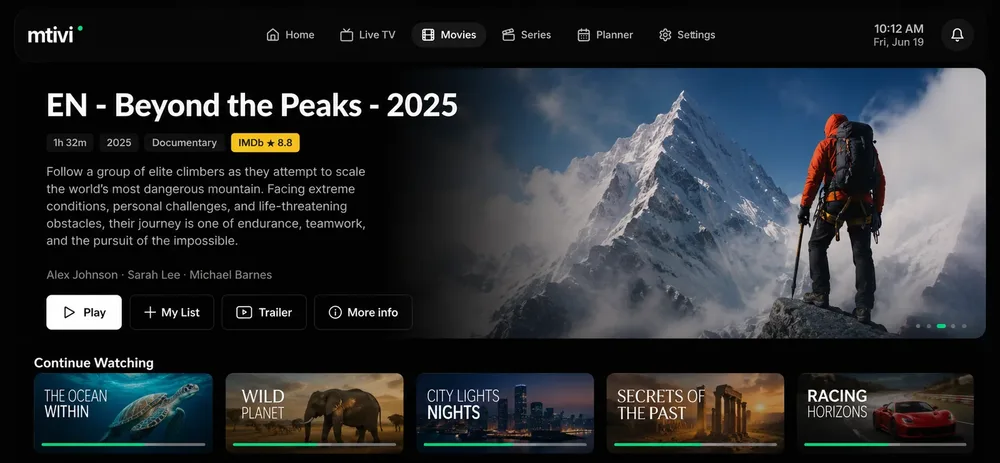
Every word,
in your language.
The whole worlds content, speaks your language
Strip The Noise to
Titles you can actually read.
The noise falls away and every title on your playlist looks the way it should. Your content read clean at a glance, and you decide what gets stripped by removing the custom words you don’t like.
Your own strip-words
Add the tags that clutter your titles. They vanish from every channel, movie and series.
Titles and categories, tidy at a glance, exactly your way.
Your Preferences
Travels with You.
Full control, but Easy Setup
MTIVI is feature-rich, with complete control over your playlist, but that doesn’t make it hard to use. It’s completely the opposite: it’s the easiest player to set up. Just follow the steps below and you’re done.
Install mtivi
with one click
Install mtivi on your device and you are good to go. No account needed to start, and your first 7 days unlock every feature.
Add your
own playlist
Open mtivi and add your own playlist directly to your device or scan the QR code to add it via the website.
Enjoy your Playlist
like never before
Experience the full potential of your playlist with our Premium player. full control on a user friendly interface.
One Playlist.
Three Different Worlds.
You don’t manage profiles. You live in worlds. Each one is a complete, self-contained version of mtivi with its own home, its own rows, its own everything. No extra accounts. No second app. No duplicate setup. Just your one source, gently divided into the spaces real life actually needs.
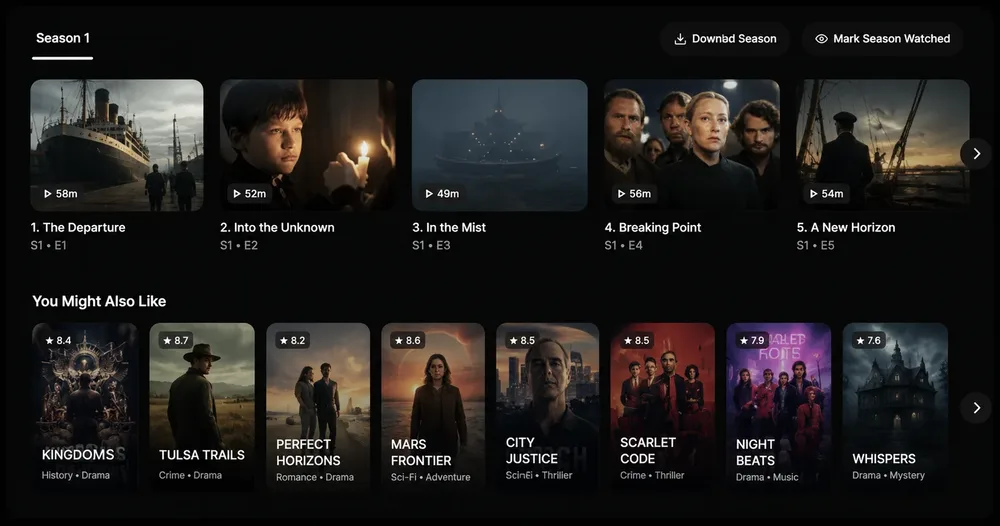
A reminder you hear, not just see.
Spot something coming up, tap the bell in the guide, and forget about it. When it’s nearly time, mtivi doesn’t bury a badge in a menu. It chimes out loud across the room, so the only way to miss your show is to choose to.
Never miss
what you love.
The full guide, laid out by the hour. Spot what’s coming, tap the bell, and forget about it, and the room will tell you when it starts.
Record the moment.
Keep watching it live.
Tap record and the screen never flinches. The picture stays sharp, the sound stays smooth, and the whole moment is quietly kept for later, all on the single connection you already have.
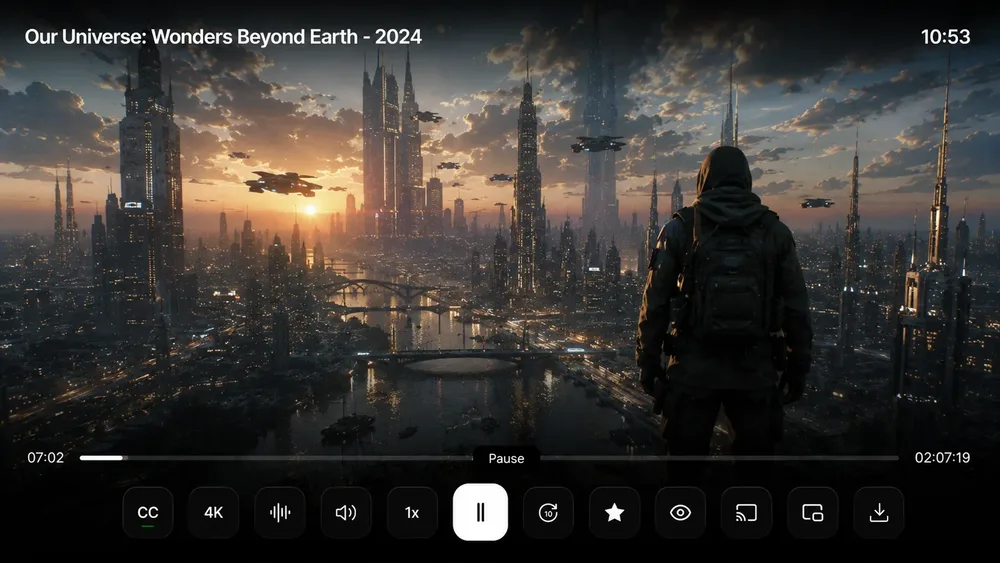
One connection does both. No second login, no second device.
Set it up from your phone.
It's on the TV before you sit.
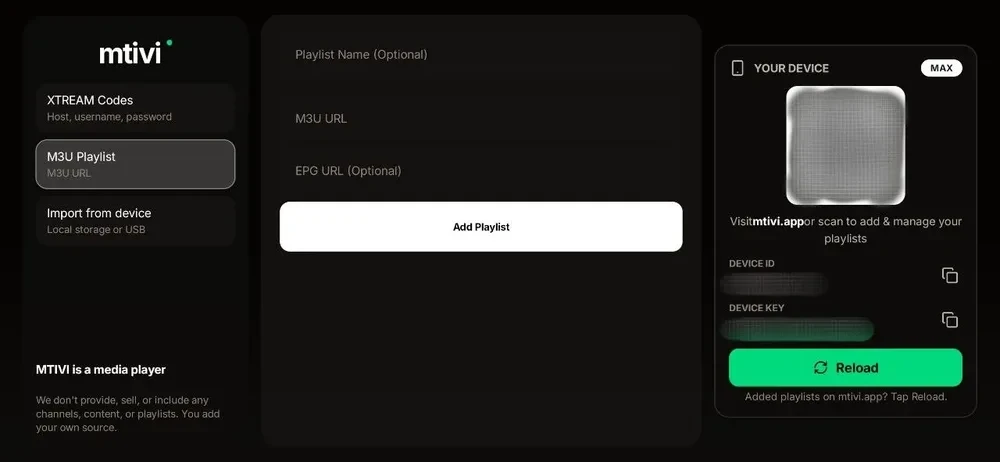

Don’t fight the remote. Scan the QR code, paste your playlist URL, and start watching.
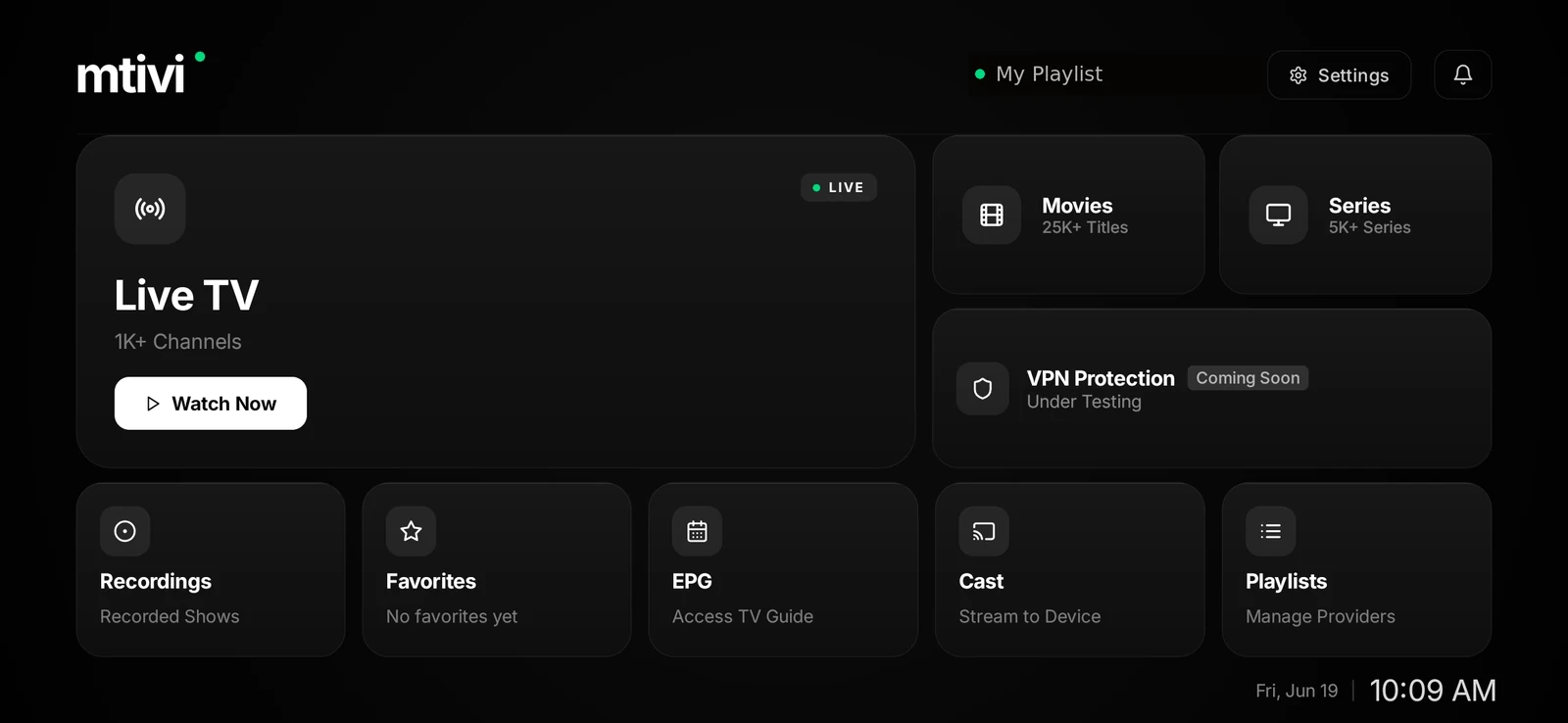
Your playlist
bends to you.
in your tongueEvery film speaks your language, perfectly in time.
ExperienceStereo Sound | 4K+ | HDR10+ | Dolby Vision & Atmos
Playlist ObeysYour playlist. Your order. Your rules. All from your remote
Has a ReasonFresh UI, built for real use. The one they'll try to copy next
Made For YouYour Idea is our Next Update
Multi Types
Local files, M3U, M3U8, Xtream Codes and Stalker portals, all in one player.
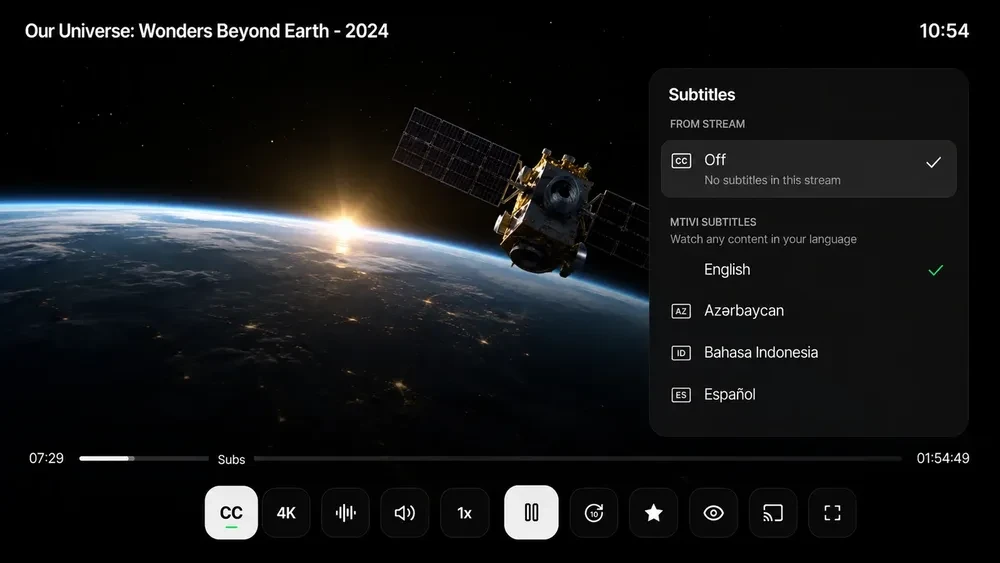
MTIVI Subtitles (Built-in)
Subtitles on live TV, movies and series in 28+ languages, even when the stream carries none.
MTIVI Translation (Built-in)
Translate live TV, movies and series into your language. Works whether your playlist has subtitles or not, on your device, even offline.
MTIVI AI Translation
Translate the subtitles your movies and series already have using powerful AI models, in 55+ languages.
Cast both ways
Live TV recording
Record live and keep watching, even on one connection using our advanced DVR recording.
Picture in Picture (PIP)
Private Profile
Fuzzy search
Finds the title even when you mistype it, and searches the guide for what is on.
Scheduled Repeat Recordings
TV guide (EPG)
The full week laid out by the hour. Zoom in and out, and scroll through time.
Send to a device
Pick the experience.
Bring your own source.
Every tier is the full mtivi player. Choose how far you want to take it, from the essentials to unlimited.
Free
For getting started: the complete player, on the house.
Everything to get you started
- Play Live TV, Movies & Series
- 4K HDR & Dolby Atmos
- Favorites & collections
- 2-way Multi-View
- Pause live TV and 6h catch-up
- Reorder, pin, lock & hide
- Cast out to any TV, and cast into mtivi
- PIN locks & parental controls
- Bring your own TMDB and AI keys
7 days of Max features, free
Pro
For the everyday viewer who wants it polished and effortless.
Everything in Free, plus
- MTIVI Subtitles (28+ languages)
- MTIVI Translation (55+ languages)
- MTIVI AI Translation (55+ languages)
- Schedule & repeat recordings
- Cloud sync across devices
- Kids & Private profiles
- Combine playlists into one
- 6-way Multi-View
- 72-hour TV guide & catch-up
7-day Max trial · 14-day money-back
Max
For the power user who wants every limit lifted, with the ultimate experience.
Everything in Pro, plus
- Unlimited playlists
- Unlimited recordings
- Unlimited offline downloads
- Unlimited combined playlists
- Unlimited TV guide & catch-up
- Double the AI translation
- Priority support
- Cloud storage (coming soon)
- Built-in VPN (coming soon)
14-day money-back guarantee
Lifetime
Pay once. The full mtivi player forever.
AI translation, TMDB details and the VPN are not included.
3,693 of 5,000 seats left1,307 reserved
No channels, movies or series, or playlists. You bring your own source. Cancel anytime, keep the player.
Questions, answered.
Everything worth knowing before you press play.
mtivi is a premium media player for Android. You bring your own playlist, and mtivi plays it beautifully, with 4K HDR, subtitle translation, live recording and much more. mtivi provides no channels, movies, series, or playlists of its own.
No. mtivi is free to use: the complete player, on the house. Optional Pro and Max plans lift the limits on recordings, offline downloads and translation, but you always bring your own source.
Not to start. Install mtivi and begin watching straight away. After the 7-day trial, link your device to a free account to carry on using mtivi at no cost.
All Android devices: Android TV, Google TV, Fire TV, Android phones and tablets, and Android TV boxes. More platforms are on the way; you can see the current list and what's coming on the download page.
Yes. mtivi is only a player. It provides no channels, movies, series, or playlists. You add your own source, and what you choose to play is your responsibility.
Install mtivi, then add your playlist, or scan the QR code to add it from the website. You'll be watching in under a minute. Full steps are on the setup guide.
Yes, in three ways. Any subtitle your own playlist already carries simply plays. MTIVI Subtitles writes subtitles on your own device from the audio, in 28+ languages, so live TV, movies and series can be subtitled even when the stream carries none at all. MTIVI Translation then turns what you are watching into your language on the device itself, on live TV as well, and it keeps working with the internet switched off. For movies and series that already have a subtitle track, MTIVI AI Translation gives the highest quality result in 55+ languages. Subtitles and AI translation are included on Pro and Max, on-device translation is on Pro and Max, and you can bring your own AI key on any plan.
Yes. Record live and keep watching on the single connection you already have. No second login, no second device. Free saves 2 recordings, Pro 10 and Max unlimited. Scheduled and repeat recordings are on Pro and Max.
Yes. Cloud sync carries your favorites, watch progress, collections and settings to every device you sign in on, far more than just the playlist, which is all most players sync.
Yes. mtivi opens with a 7-day free trial that unlocks every feature. When it ends, link your device to a free account and keep using mtivi free, forever.
Yes. You can cancel anytime and keep using the free player, and purchases made directly from us come with a full refund within 14 days. See our refund policy for the details.
Yes. mtivi doesn't sell or share your data. You can browse in incognito mode and clear your watch history whenever you like.
