Skip to content
M3U vs Xtream Codes: Which IPTV Format Should You Use?
M3U vs Xtream Codes comes down to one idea: an M3U is a single playlist link or file, while Xtream Codes is a login — a host, a username and a password — that your player uses to pull everything in. It is often the same channels behind both, just two ways to connect. For most people who want movies, series and a live guide, Xtream Codes is the smoother option; for a small self-made list or an older device, a plain M3U wins on simplicity.
If you have ever set up an IPTV player and been asked to choose between “M3U URL” and “Xtream Codes login,” you have met this decision. The two formats look different but usually reach the same place. Understanding what each one actually is makes setup faster, playback more reliable, and troubleshooting far less mysterious. This guide breaks down the real difference between M3U and Xtream Codes, compares them side by side, and helps you pick which IPTV format to use — without any jargon.
M3U vs Xtream Codes: the one-sentence answer
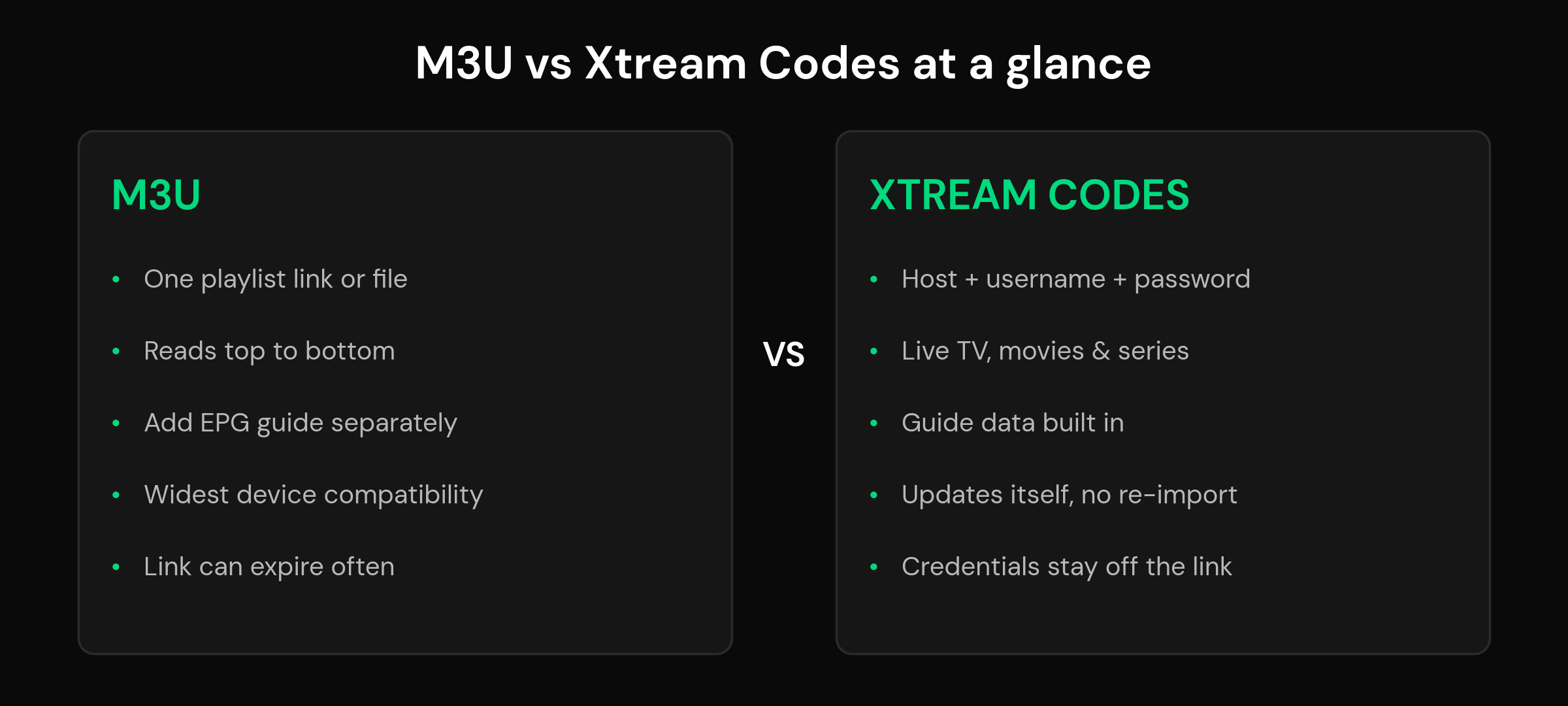
An M3U is a file. Xtream Codes is a connection. An M3U hands your player a finished list of streams to read from top to bottom. Xtream Codes hands your player a set of login details and lets the player ask a panel for whatever it needs — live channels, movies, series and guide data — on demand. That is the whole difference in a nutshell, and everything below is just the detail behind it.
What is an M3U playlist?
An M3U is a plain text file that lists media streams one after another. Each entry has a line describing the channel (its name, logo tag and group) followed by the stream link itself. Your player reads the file, builds a channel list from it, and plays whatever you select. A typical M3U you get from a provider is delivered as a link that looks something like http://example-host:8080/get.php?username=USERNAME&password=PASSWORD&type=m3u_plus, which returns the full list when your player opens it.
Because it is just a text list, an M3U is the most widely supported format there is. Almost every player on almost every device can open one, which makes it the safe default for older hardware or a list you built yourself. The trade-offs: the guide (EPG) is usually a separate XMLTV link you add on the side, the list only refreshes when your player re-downloads the whole file, and many provider M3U links are set to expire and need re-fetching. If you maintain your own small playlist, none of that matters much.
What are Xtream Codes?
Xtream Codes is not a file at all — it is a way of logging in. Instead of one long link, you enter three things: a server (host) address, a username and a password. Your player sends those to the provider’s panel and asks for exactly what it wants to show: the live channel categories, the movies library, the series list, and the matching guide data. Nothing is baked into a static file, so the panel can add or remove channels and your player simply sees the change the next time it asks.
That design is why Xtream Codes feels more like a modern app and less like a flat list. Movies and series arrive with their own categories and, in a capable player, poster-style browsing. The guide is delivered alongside the streams rather than bolted on. And because the credentials are entered as separate fields rather than pasted into a URL, they are a little harder to accidentally leak. The catch is that a provider has to offer a panel; if they only give you a file, M3U is your route.
M3U vs Xtream Codes compared
Here is the same information side by side. The row that matters most for you depends on what you watch and what device you use.
| Feature | M3U playlist | Xtream Codes login |
|---|---|---|
| What you enter | One URL or file | Host + username + password |
| Live channels | Yes | Yes |
| Movies & series (VOD) | Flat, mixed into the list | Organized categories, poster browsing |
| TV guide (EPG) | Added separately (XMLTV) | Delivered with the streams |
| Updates | Re-download the whole file | Automatic when the player asks |
| Link expiry | Link can expire and need re-fetching | Credentials last the subscription |
| Credential exposure | Login sits inside the URL | Login kept out of any link |
| Device compatibility | Widest — works almost everywhere | Needs a player that supports the panel |
| Best for | Small or personal lists, old devices | Movies, series, guide, hands-off updates |
Which should you use?
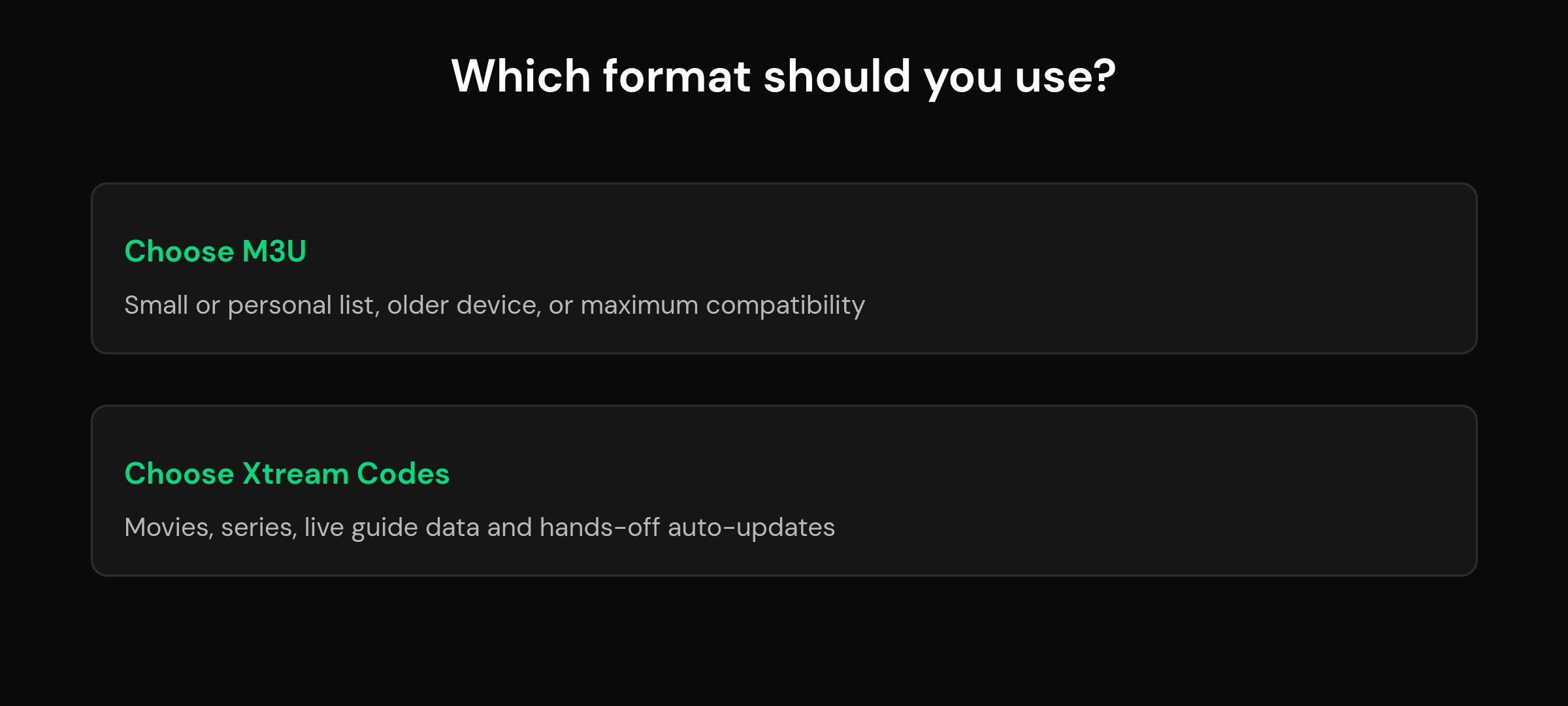
Reach for a plain M3U when your list is small, when you maintain the file yourself, or when you are setting up an older device that only understands basic playlists. It is the most forgiving, most compatible option, and there is nothing wrong with keeping things simple.
Choose Xtream Codes when your provider offers it and you want the richer experience: tidy movie and series categories, a guide that arrives without extra steps, and a list that quietly keeps itself current. If most of what you watch is on-demand rather than live, the difference is especially noticeable — Xtream Codes turns a flat list into something closer to a streaming app. When both are offered and your player supports it, Xtream Codes is the choice most people are happier with.
Do M3U and Xtream Codes use the same credentials?
Usually, yes — and this is the part most guides skip. When a provider offers both, the username and password are typically the same behind each one. The Xtream Codes panel simply wraps those credentials in an API, while the M3U link embeds the same username and password inside the URL. That is why you can often derive one from the other: the host, username and password in your Xtream login are the very values sitting inside your M3U get.php link, and vice versa. If you have a working M3U URL, you can usually read the server, username and password straight out of it and type them into the Xtream Codes fields instead — no new subscription required. It is the same door, just a different key shape.
Decoding what you were actually handed: get.php, m3u_plus and XSPF
Most confusion here is not really about M3U versus Xtream Codes. It is that people are handed a long string or a file with an unfamiliar extension and cannot tell which of the two they are holding. Once you can read the parts, the answer is obvious in about three seconds.
A URL with get.php in it is an Xtream Codes server dressed up as a playlist link. It looks like this:
http://example.com:8080/get.php?username=USER&password=PASS&type=m3u_plus&output=ts
That single line contains everything an Xtream login needs, just in a different arrangement. The address and port are your server, and the username and password are sitting in plain sight as parameters. This matters practically: if a player asks for a server, username and password separately and all you have is a get.php link, you already have all three — read them off the URL rather than going back to your provider.
type=m3u_plus is an output setting, not a file format. This trips up almost everyone. It is not a different kind of file you download; it is an instruction to the server about how much detail to include when it generates the playlist. The plain type produces a bare list of channel names and addresses. The plus variant asks the server to include the extra attributes a modern player needs — channel identifiers for guide matching, logo references and group names. That is why a playlist can load with no logos, no groups and an empty guide, and swapping one word in the URL fixes all three at once. If you have the choice, take the plus variant.
output=ts or output=m3u8 chooses how the video is delivered, not what your list looks like. Either usually works; if one stalls on your device, trying the other is a genuinely useful test.
A file ending in .m3u or .m3u8 is a plain playlist with no login attached. The .m3u8 extension simply means the file is saved as UTF-8, which matters for channel names with accents or non-Latin characters. Treat them as the same thing.
XSPF is a different, older playlist format that some providers still hand out. It carries the same idea — a list of names and addresses — but writes it in XML rather than the plain-text layout M3U uses. Desktop media players generally open it; IPTV players on TV devices often do not, because the format never picked up the channel identifier and group attributes that a TV guide depends on. If you were given an XSPF and your player rejects it, that is expected rather than a fault. Ask your provider for an M3U or Xtream login instead, since almost every provider can issue both and the XSPF is usually the legacy option left switched on.
The quick test, then: if it has get.php and a username, it is Xtream. If it is a file ending in .m3u or .m3u8, it is a playlist. If it ends in .xspf, it is a playlist your TV app probably will not read, and it is worth asking for a different one.
Adding M3U or Xtream Codes in mtivi
A good player should never force the format on you. mtivi accepts an M3U link, an M3U8 link, an Xtream Codes login, or a playlist file loaded from your device, so whatever your provider hands you just works. You add your own source; mtivi turns it into a proper TV experience. If you are new to all of this, it helps to first understand what an IPTV player is and to know that using an IPTV player is legal — the app is ordinary software, and the source you add is what matters.
Once your playlist is in, the format you chose fades into the background and the features take over: a full guide with favorites and search, recording, subtitle translation into 55+ languages, and cloud sync that carries the same playlist and favorites across every device. Whether you connect with M3U or Xtream Codes, you land in the same place — your channels, organized and easy to watch.
Related reading: what Xtream Codes is, and why a login can replace a playlist link. If you are choosing between M3U and M3U Plus, the plus version simply carries more detail per channel, such as the guide id, logo and group, which is why most players ask for it.
Frequently asked questions about M3U and Xtream Codes
What is the difference between M3U and Xtream Codes?
An M3U is a single playlist file or link your player reads from top to bottom. Xtream Codes is a login — a host, username and password — that lets your player pull live TV, movies, series and guide data from a panel on demand. Same content is often behind both; they are just two ways to connect.
Is Xtream Codes better than M3U?
For most people, yes, when the provider offers it: you get organized movie and series categories, a built-in guide and a list that updates itself. But M3U is better for small personal lists and older devices because it works almost everywhere. Neither is universally best; it depends on what you watch and your device.
Why does my M3U link keep expiring?
Many providers set M3U links to expire after a period so they can rotate access. When it expires your player stops loading and you re-fetch a fresh link. Xtream Codes avoids this because the credentials stay valid for the whole subscription rather than living inside a link that times out.
Can I convert an M3U link to Xtream Codes?
Often yes. A provider M3U link usually contains the same host, username and password used for Xtream Codes. You can read those values out of the get.php URL and type them into the Xtream Codes fields instead. It is a format switch, not a new subscription — as long as your provider runs a panel.
Which format is more secure?
Xtream Codes keeps your username and password in separate login fields rather than inside a shareable URL, so they are a little harder to leak by accident. An M3U link carries the login in the URL itself, so anyone who sees the full link can use it. Treat M3U links as private.
Which is better for movies and series?
Xtream Codes. It organizes on-demand movies and series into proper categories with poster-style browsing, closer to a streaming app. In an M3U, video-on-demand is mixed into the flat list, which is harder to browse. If most of what you watch is on-demand, Xtream Codes is the friendlier choice.
Do M3U and Xtream Codes use the same username and password?
Usually, yes. When a provider offers both, the credentials behind them are typically identical — the Xtream panel wraps them in an API and the M3U link embeds them in the URL. That is why you can often derive one format from the other without any new account.
Does M3U or Xtream Codes load faster?
It depends more on your provider and connection than the format. Xtream Codes can feel faster to browse because it fetches categories on demand instead of loading one huge file, which helps with very large lists. A small M3U opens almost instantly. For big catalogs, Xtream Codes usually browses more smoothly.
What is M3U8 and how is it different from M3U?
M3U8 is the same playlist format saved in UTF-8 text encoding, which handles international characters and accents correctly. Functionally it works just like an M3U in your player. If your channel names use non-English characters, an M3U8 link avoids garbled text. A good player accepts both.
Do I still need a separate EPG file with Xtream Codes?
Usually not. Xtream Codes delivers the guide data alongside the streams, so the guide appears without adding an XMLTV link. With a plain M3U you normally add the EPG separately. If an Xtream setup shows no guide, the provider may still supply a separate XMLTV link you can add.
Does mtivi support both M3U and Xtream Codes?
Yes. mtivi accepts M3U links, M3U8 links, Xtream Codes logins and playlist files loaded from your device. To be clear, mtivi is a media player — we do not provide, sell, or include any channels, movies, series, or playlists. You add your own source and mtivi plays it with a full feature set.
Which format should a beginner start with?
If your provider gives you an Xtream Codes login, start there — it is the least fiddly, with the guide and categories built in. If you only receive an M3U link or file, use that; it works everywhere. Either way, add it once and let the player handle the rest.
What does type=m3u_plus mean in my playlist URL?
It is an output setting rather than a file format. It tells the server to include the extra attributes a modern player needs when it generates your playlist: channel identifiers used to match the guide, logo references and group names. The plain type returns only names and addresses, which is why a playlist can load with no logos, no groups and an empty guide. If you have the choice, use the plus variant.
What is get.php in my IPTV link?
A get.php link is an Xtream Codes server presented as a playlist URL. The address and port before it are your server, and the username and password are included as parameters in the same line. If a player asks for server, username and password separately and all you have is a get.php link, you can read all three straight off the URL instead of asking your provider again.
Is XSPF the same as M3U?
Not quite. Both are playlists, but XSPF is an older XML-based format, while M3U uses a plain-text layout. Desktop media players usually open XSPF; IPTV players on TV devices often do not, because the format never adopted the channel identifier and group attributes a TV guide relies on. If your player rejects an XSPF file, ask your provider for an M3U or an Xtream login instead.
Is .m3u8 different from .m3u?
For this purpose, no. The .m3u8 extension means the file is saved as UTF-8, which matters when channel names use accents or non-Latin characters. Otherwise treat them as the same format; a player that accepts one accepts the other.