Skip to content
IPTV Multi-View: Watch Up to 6 Live Channels at Once on One Screen
Yes — IPTV multi-view lets you tile up to six live channels on a single screen and watch them at the same time, which is why people reach for it on a busy sports night or when two big matches overlap. The feature itself is the easy part. What almost every guide skips is the two things that decide whether it actually runs: enough simultaneous connections (one per panel) and enough RAM and bandwidth to feed all of them. Get those right and a four-up grid is smooth. Get them wrong and you get a wall of buffering.
This guide covers what multi-view really is, how it differs from picture-in-picture, the connection math nobody explains, the bandwidth each panel costs, and how to run it cleanly in mtivi.
What IPTV multi-view actually is
Multi-view (also called multi-screen or split view) tiles several live channels into one grid. Two channels side by side, a 2×2 grid of four, or up to six panels, each playing its own stream. You pick which panel’s audio you hear, and a tap promotes any panel to full screen. It’s the living-room version of watching several games at a sports bar — your eyes jump between panels, your ears stay on the one that matters.
That’s different from a channel preview grid, where thumbnails are static images until you open one. In true multi-view every panel is live and playing. And because each panel is a real stream, each one draws on your provider plan and your hardware. That single fact drives everything below.
The connection math nobody explains
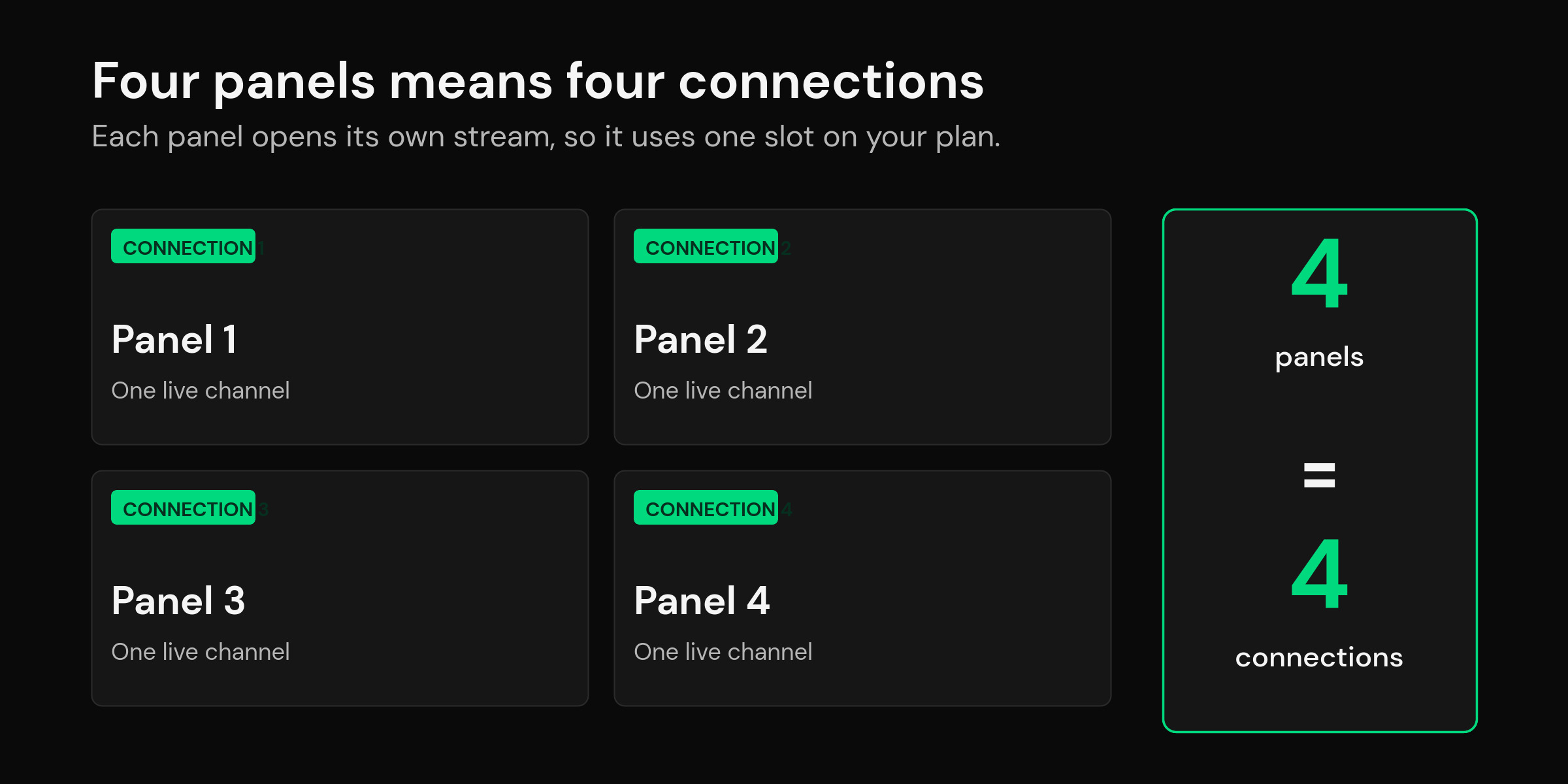
Here’s the trap. A four-panel layout opens four streams at once, so it needs four simultaneous connections on your plan. Most personal plans allow one or two. If your plan permits a single connection, multi-view will either refuse to open the extra panels or knock out your other devices while it’s running — the same “connection limit reached” wall people hit when they try to record on a single line.
So before you count on multi-view, check the number of concurrent connections your source actually allows. The rule is simple: panels you want open at once ≤ connections your plan allows. Want a steady 2×2 grid? You need a plan that permits at least four. If you’re stuck on one connection, you can still switch quickly between channels, but you can’t watch them side by side. We walk through how to stretch a single connection in our guide to recording on a single-connection plan.
True multi-view vs picture-in-picture
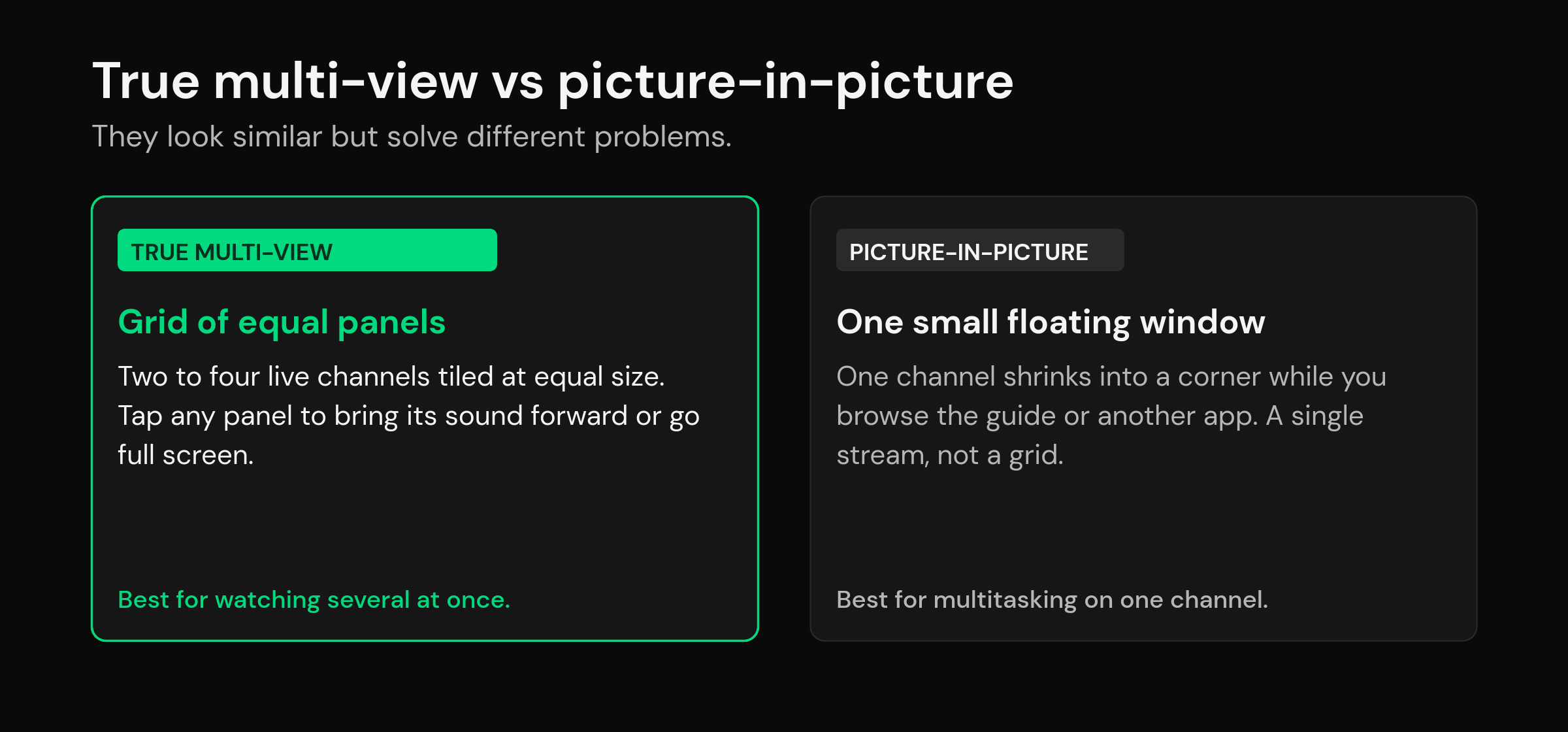
People use these terms interchangeably, but they solve different problems. Picture-in-picture (PiP) floats one channel into a small corner window while you browse the guide or use another app — it’s a multitasking tool built on Android’s multi-window support. True multi-view tiles several equal panels so you can follow more than one thing at once. If you just want to keep half an eye on a channel while you scroll, PiP is lighter. If you genuinely want to watch four things, you want the grid.
| Layout | What you see | Streams open | Best for |
|---|---|---|---|
| True multi-view | 2–4 equal live panels in a grid | 2–4 | Watching several live events together |
| Picture-in-picture | One small floating window | 1 | Keeping one channel on while you browse |
| Preview grid | Static thumbnails, one plays at a time | 1 | Choosing what to open next |
Bandwidth: what extra panels really cost
Every panel is a full stream, so the bandwidth adds up fast. As a rough working figure, a 1080p live channel runs about 5–8 Mbps and a 4K channel 25 Mbps or more. Four HD panels can push your connection past 30 Mbps at once; four 4K panels are simply not realistic on most home lines. The practical move is to run multi-view panels at HD, save 4K for full-screen single viewing, and wire your device with Ethernet if you can — a wired feed holds steadier than Wi-Fi when four streams pull at the same time.
| Grid | Per panel (HD) | Rough total | Comfortable line |
|---|---|---|---|
| 2 panels | ~5–8 Mbps | ~10–16 Mbps | 25 Mbps+ |
| 4 panels | ~5–8 Mbps | ~20–32 Mbps | 50 Mbps+ |
RAM matters just as much. Decoding four video streams while holding a full guide and a big channel list in memory is heavy work. On a phone or a modern box with 3–4 GB of RAM a 2×2 grid is fine; on an old stick with 1–2 GB, two panels is the honest ceiling. If your device already struggles with a long list, sort that first — our notes on loading large playlists without lag apply directly here.
How to watch up to six channels at once in mtivi
In mtivi, multi-view is built in — you open the grid, drop a live channel into each panel, and tap the panel whose audio you want. One more tap sends any panel full screen and brings the rest back when you’re done. Because your playlist and layout live in your profile, the setup follows you: start a grid on the TV, and with cloud sync your channels and favorites are already there on your phone. It plays whatever source you bring — M3U or Xtream Codes — and pulls the same full TV guide you use in single view, so you can see what’s on before you fill a panel.
The honest part: mtivi can lay out the panels, but it can’t invent connections you don’t have. If your plan allows two, mtivi will happily run a clean two-panel view; four panels needs a plan that allows four. That’s a limit of your source, not the player, and no app can get around it. On mtivi’s side the grid goes up to six panels, and the app sizes it to what your device can actually decode.
Getting multi-view to run smoothly
A few adjustments make the difference between a slick grid and a stuttery one. Cap the panels at your connection count so nothing fights for a slot. Keep multi-view panels at HD and reserve 4K for full screen. Use Ethernet on the device doing the grid. And close background apps on a low-RAM stick before you start — four decoders need the headroom. If one panel keeps buffering while the others are fine, it’s almost always that channel’s source or your connection ceiling, not the layout; swap that panel to a lighter channel and it settles. New to the wider picture of what a player does versus what your provider supplies? Start with what an IPTV player actually is.
When multi-view is worth it — and when it isn’t
Multi-view earns its keep on the nights when several things happen at once: two big matches overlapping, a live event running against breaking news, or a household where nobody agrees on one channel. Being able to keep all of them on screen and move the audio around beats frantically flipping back and forth and missing the moment on whichever one you left. For that use, a 2×2 grid is genuinely better than a single full-screen channel.
It’s the wrong tool the rest of the time. For everyday viewing you want one channel at full quality, full size, with the best audio — not four shrunken panels splitting your bandwidth and your attention. It’s also the wrong tool if your plan only allows one or two connections, or your device is short on RAM, because then you’re paying the full hardware cost for a grid that can’t actually fill. Treat multi-view as a mode you switch on for the big nights and switch off again, rather than the way you watch by default. Used that way, it’s one of the most useful things a modern player does; used as a permanent layout, it just wears out your connection and your hardware for no real gain.
Frequently asked questions
Can I watch several live channels at once on IPTV?
Yes. IPTV multi-view tiles two to six live channels on one screen, each playing its own stream, and lets you choose which panel’s audio you hear. The catch is that each panel needs its own connection on your plan and enough bandwidth to run.
How many channels can multi-view show at once?
Most players cap the grid at four panels in a 2×2 layout. mtivi goes up to six when your plan allows it, and sizes the grid to what your device can actually decode. You can also run just two side by side. Past six, the panels get too small to be useful and the hardware load climbs sharply.
Do I need multiple connections for multi-view?
Yes — one per panel. A four-panel grid opens four streams at the same time, so it uses four simultaneous connections on your provider plan. If your plan allows only one or two, you can’t run four panels; you’d need a plan that permits at least as many connections as panels.
How much bandwidth does four-channel multi-view need?
Roughly the bandwidth of four separate channels added together. Four HD panels at about 5–8 Mbps each can push past 30 Mbps at once, so a 50 Mbps line is comfortable. Four 4K panels are not realistic on most home connections — keep panels at HD and use 4K for full screen.
What’s the difference between multi-view and picture-in-picture?
Multi-view tiles several equal panels so you watch more than one channel at once. Picture-in-picture floats a single channel into a small corner window while you use the guide or another app. Multi-view is for watching many; picture-in-picture is for multitasking on one.
Does mtivi support multi-view?
Yes. mtivi has built-in multi-view for up to six live channels, with a tap to switch audio between panels and a tap to send any panel full screen. Your layout and playlist follow your profile across devices.
Why does one panel keep buffering while the others are fine?
That’s almost always the individual channel’s source or your connection hitting its ceiling, not the multi-view layout itself. Swap that panel to a lighter channel, or drop from four panels to two so you’re inside your connection and bandwidth budget.
Can I run multi-view on a Firestick or older box?
You can, but keep expectations realistic. On a stick or box with 1–2 GB of RAM, two HD panels is the honest ceiling. A device with 3–4 GB handles a 2×2 grid far better. Wiring the device with Ethernet also helps four streams stay steady.
Does multi-view work with a single-connection plan?
Not for a real grid. A single connection can only open one stream at a time, so multi-view will either refuse the extra panels or interrupt your other devices. On one connection you’re limited to fast switching between channels rather than side-by-side viewing.
Can I hear audio from more than one panel at a time?
No — you hear one panel’s audio at a time to keep it usable, and you tap another panel to move the sound there. Overlapping audio from four channels would be unwatchable, so players intentionally route sound to the panel you select.
Is multi-view good for live sports?
It’s one of the main reasons people use it — following several live events or big matches at once without missing a moment. Just size the grid to the connections your plan allows so every panel has a slot to run in.
Does mtivi provide the channels I watch in multi-view?
No. mtivi is a media player. We don’t provide, sell, or include any channels, movies, series, or playlists — you add your own source. Multi-view simply lays out whatever live channels your playlist already carries.