Skip to content
TiviMate vs OTT Navigator vs IPTV Smarters: Which Should You Pick in 2026?
Short answer: TiviMate vs OTT Navigator vs IPTV Smarters really comes down to how you watch. TiviMate is the pick for live TV and the best program guide on Android. OTT Navigator suits power users who love to customize and record. IPTV Smarters Pro is the beginner-friendly one that also runs on iPhone, Windows and Mac. If you want one app that does the lot without paywalling the basics, mtivi is the free-to-start all-rounder worth adding to your shortlist.
All three are media players, not channel providers: you bring your own playlist or Xtream login and the app plays it. That means you can install any of them free, load the same source into each, and judge for yourself. The differences that actually matter are platform coverage, how good the guide and recording are, how they cope with a huge channel list, and whether the useful features are free or locked behind a paywall. Here is how they stack up, and where a fourth option fits in.
The short version: which player for which person
If you only remember one thing, remember this: match the player to your situation, not to whichever app a listicle crowned this month. Here is the quick map.
| Player | Best for | The main catch |
|---|---|---|
| TiviMate | Live TV with a polished, fast electronic program guide | Android only; the best features need paid Premium, capped at five devices |
| OTT Navigator | Power users who want deep customization, recording and multi-view | Android only; the sheer number of settings can overwhelm newcomers |
| IPTV Smarters Pro | Beginners and mixed households; runs on Android, iPhone, Windows and Mac | Lighter on advanced features; the guide is more basic than the leaders |
| mtivi | One free-to-start app with recording, subtitle translation, sync and profiles | Android today; iPhone, Mac and Windows apps are on the roadmap, not out yet |
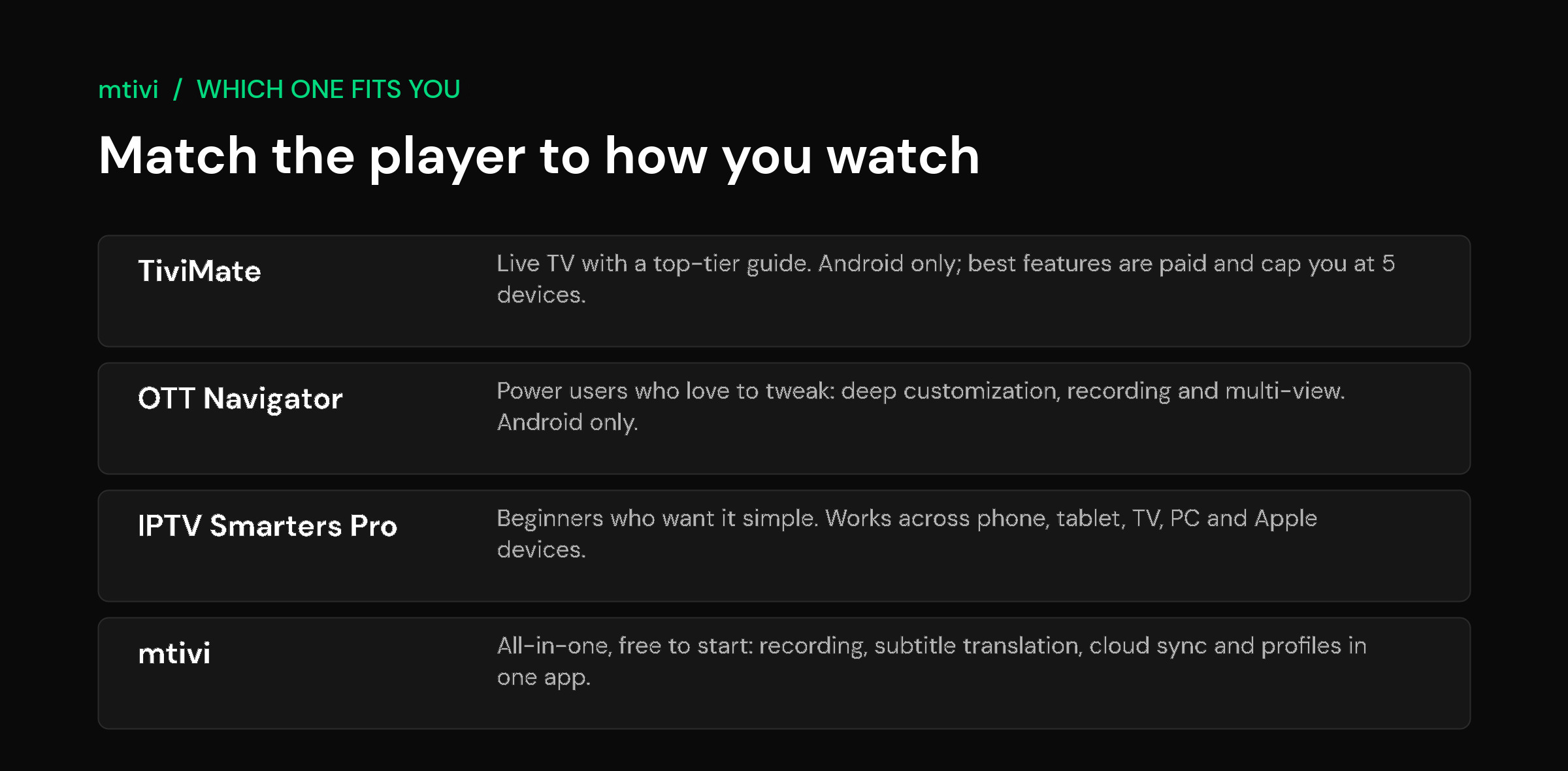
How the three compare at a glance
These four criteria decide almost every real-world choice: which platforms the app runs on, the quality of the guide and recording, how it behaves with a very large playlist, and the price of the features you will actually use. An IPTV player lives or dies on those, not on a long feature checklist.
| Feature | TiviMate | OTT Navigator | IPTV Smarters Pro |
|---|---|---|---|
| Platforms | Android, Android TV, Fire TV | Android, Android TV, Fire TV | Android, iOS, Windows, Mac, Fire TV |
| Program guide (EPG) | Excellent | Very good, highly configurable | Basic to good |
| Recording | Yes (Premium) | Yes, on device | Limited |
| Best-features price | Paid Premium | Freemium upgrade | Free, add-ons vary |
| Device limit | Five per account (Premium) | No hard account cap | No hard account cap |
| Learning curve | Moderate | Steep | Gentle |
Notice there is no single winner across the row. That is the honest picture the affiliate-led round-ups tend to blur: each app is genuinely the best choice for a particular person, and the wrong one for someone else. Below, each gets its due.
TiviMate: best for live TV and the guide
TiviMate has earned its loyal following. If your viewing is mostly live channels and you care about a guide that scrolls fast, fills in now-and-next reliably and looks clean on a big screen, it is hard to beat. The free version is capable, and the paid Premium tier unlocks the parts most enthusiasts end up wanting: recording, multiple playlists, scheduled reminders and a smoother experience overall.
The two things to know before you commit: it is Android-only, so there is no iPhone, iPad or native desktop version, and TiviMate Premium is capped at five devices per account. For a single living room that is a non-issue. For a household that keeps adding screens, or one built around Apple hardware, it becomes a real limit. If you have hit that wall, our guide to choosing a TiviMate alternative walks through when a switch is worth it. And if your current setup has started stalling, it is often the app rather than your source, which is why we wrote up fixing buffering after an update.
OTT Navigator: best for tinkerers who record
OTT Navigator is the enthusiast’s playground. It supports M3U, Xtream Codes and JSON playlists, and it piles on the features serious viewers ask for: on-device recording, timeshift, picture-in-picture and multi-view, plus a skinnable interface you can bend to your taste. If you enjoy setting things up exactly how you like them, you will get on with it.
The flip side of all that flexibility is complexity. The number of menus and options can be genuinely bewildering the first time you open it, and a newcomer who just wants to watch the news can feel lost. It is also Android-only. Think of OTT Navigator as the power tool: fantastic in the right hands, overkill for someone who wants to press one button and see a channel.
IPTV Smarters Pro: best for beginners and mixed households
IPTV Smarters Pro wins on reach and simplicity. It runs on Android, iPhone and iPad, Windows, Mac and Fire TV, so it is the natural pick when the people in your home do not all carry the same brand of device. Setup is quick, the layout is familiar, and it covers the essentials: live TV, movies and series, a program guide, catch-up, multiple profiles and parental controls.
What you trade for that friendliness is depth. Its guide and recording are more basic than TiviMate’s or OTT Navigator’s, and heavy users can outgrow it. But for a first IPTV player, or for a family spread across iPhones and Windows laptops, being able to use the same app everywhere is worth a lot. It is the gentle on-ramp of the three.
OTT Navigator vs TiviMate head to head
Most people searching “OTT Navigator vs TiviMate” are choosing between two Android apps that both read M3U and Xtream sources and both offer a guide. The difference is not what they can do but how much of it they hand you up front.
| If you care most about | Lean towards | Why |
|---|---|---|
| A tidy guide you can use on day one | TiviMate | The layout is built around the guide and needs little setup |
| Control over every option | OTT Navigator | It exposes far more settings, which rewards patient tinkering |
| Recording | OTT Navigator | Recording is part of its feature set; check what your source allows |
| A small family of devices | Check the cap | TiviMate Premium limits how many devices share one account |
| A phone, an iPad or a Mac as well | Neither | Both are Android-only, so look at cross-platform players |
Neither is the wrong answer. The wrong answer is choosing on a feature list when your real constraint is the device you own or how many screens you have. If you are leaving one of them, TiviMate alternatives covers where people tend to go, and the TiviMate device limit explains the cap in practice.
Switching between them without starting over
Your playlist is not stored in either app. It lives with your source, so moving from one player to the other means adding the same M3U link or Xtream login again, then rebuilding anything the app keeps locally, such as favourites, hidden groups and recordings. Write down your favourites before you switch, because those do not travel.
What to check before you pick
Before you download anything, run your choice past these five questions. They cut through the marketing faster than any feature list.
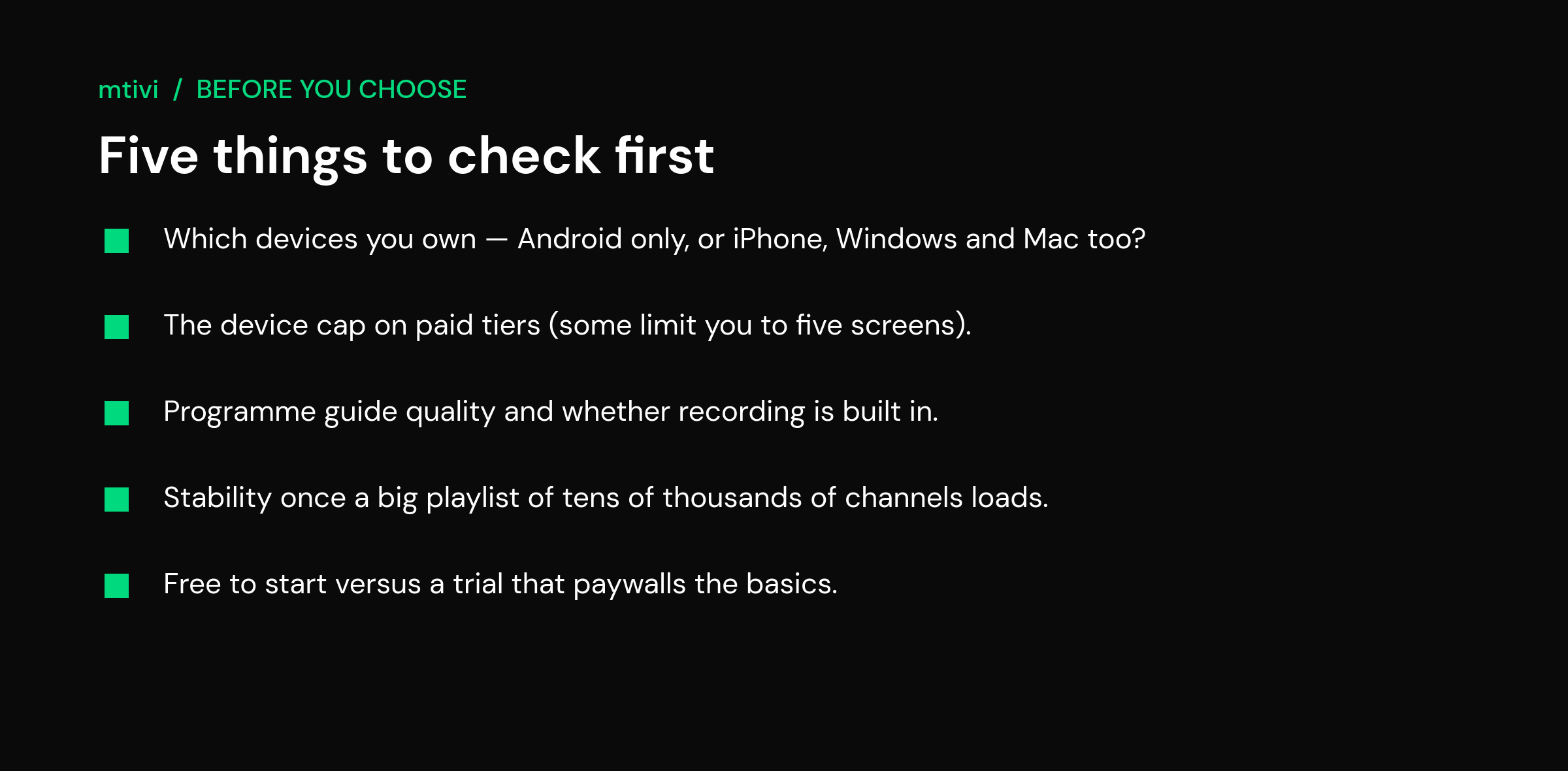
Which devices you own. If everything in your house is Android, all three are in play. The moment an iPhone, iPad or Windows laptop needs to join, TiviMate and OTT Navigator drop out and IPTV Smarters or a cross-device player becomes the answer. The device cap. TiviMate Premium limits you to five devices per account; if you run more screens than that, plan around it. Guide and recording. A proper now-and-next guide and reliable recording separate a real TV experience from a bare channel list, so test both with your own M3U or Xtream source. Big-playlist stability. A large list of tens of thousands of channels should load and scroll without the app choking; some players crawl once the list gets big. Price of the basics. Watch for apps that lock everyday features behind a paywall or a short trial. Free to install is not the same as free to actually use.
The reason to test rather than trust a leaderboard is that the cheap stick or box in your living room is the only benchmark that counts. On a modest device, a lean, well-optimized app often beats a feature-packed one that lags. New to all of this? Our explainer on what an IPTV player is covers the groundwork, and Android TV‘s own site is a good reference on what these living-room devices share.
Where mtivi fits: the all-in-one, free-to-start option
The gap in that three-way race is a player that gives you the whole feature set without making you pay before you have tested it, or chain several apps together to cover everything. That is the space mtivi is built for. It runs today on Android phones and tablets, Android TV, Google TV, Fire TV and Firestick, Nvidia Shield and Android boxes, and it bundles the features people usually collect piecemeal: recording that works even on a single-connection plan, subtitle translation in 55+ languages, cloud sync across devices, and Public, Kids and Private profiles behind a PIN.
A few of those deserve a closer look. mtivi records live TV even on single-connection plans, so you do not need a second line just to save a program. It offers subtitles translated into 55+ languages for following foreign channels, and cloud sync that carries your playlist and favorites across devices so a new box is set up in seconds. It also stays smooth with very large playlists. On a stick specifically, our best IPTV player for Firestick in 2026 guide goes deeper.
The honest caveat: if your household is built around iPhones, an iPad or an Apple TV, mtivi is not on those yet; native Apple and Windows apps are on the roadmap rather than shipping today. On Android-based TVs and boxes, though, it gives you the fullest feature set of the group, free to start with no account required. Weigh it alongside the three above rather than instead of thinking it through, and let your own source be the tiebreaker.
Related guides
- TiviMate Alternatives in 2026: When to Switch and to What
- Best IPTV Player for Android TV and Google TV (2026)
- Best IPTV Player for Firestick in 2026 (Tested and Ranked)
- What Is an IPTV Player? A Clear Guide for 2026
Frequently asked questions
Which is better: TiviMate, OTT Navigator or IPTV Smarters?
None is best for everyone. TiviMate leads for live TV and the program guide on Android, OTT Navigator suits power users who want customization and recording, and IPTV Smarters Pro is the easiest and the only one of the three that also runs on iPhone, Windows and Mac. Pick by which platforms you own and how much control you want.
Which IPTV player is best for beginners?
IPTV Smarters Pro is the gentlest start. Its layout is familiar, setup is quick, and the same app works across Android, iPhone, Windows and Mac, so a mixed household can share it. If you also want recording, translation and sync in that same easy package, mtivi is worth trying free.
Which of these works on iPhone or iOS?
Of the three, only IPTV Smarters Pro has an iPhone and iPad version; TiviMate and OTT Navigator are Android-only. mtivi runs on Android today, with iPhone, iPad, Mac and Apple TV apps on the roadmap rather than out yet.
Which has the best program guide and recording?
TiviMate is widely regarded as having the best EPG, and its Premium tier adds solid recording. OTT Navigator’s recording and customization are excellent for tinkerers. IPTV Smarters Pro is lighter on both. mtivi bundles a full guide plus recording that works even on single-connection plans.
Which is best for movies and series versus live TV?
TiviMate is oriented around live TV and the guide. OTT Navigator and IPTV Smarters Pro both handle video-on-demand libraries alongside live channels. If you want live TV, movies, series and a guide in one place, mtivi covers all of them from a single app.
Is TiviMate free to use?
TiviMate has a capable free version, but its most-wanted features, including recording, multiple playlists and scheduled reminders, require the paid Premium upgrade. You can try the free tier first to see whether the guide and playback suit you before paying.
How many devices does TiviMate Premium allow?
TiviMate Premium is limited to five devices per account. That is plenty for one home, but a household that keeps adding screens can hit the cap. Players without a hard device limit, or cloud sync across devices, are worth considering if you run more than five screens.
Can I use the same playlist across all three players?
Yes. All three are just players, so the same M3U link or Xtream Codes login loads into TiviMate, OTT Navigator and IPTV Smarters Pro without changing your source. That makes it easy to install two or three, load your playlist into each, and compare them side by side.
Do any of these players provide channels, movies or series?
No. mtivi is a media player. We don’t provide, sell, or include any channels, movies, series, or playlists. You add your own source. The same is true of TiviMate, OTT Navigator and IPTV Smarters Pro: each is an app that plays the playlist or Xtream login you already have.
Is there a free all-in-one alternative to these three?
mtivi is the closest to an all-in-one, free-to-start option on Android. It bundles recording, subtitle translation in 55+ languages, cloud sync and Public, Kids and Private profiles into one player with no account required to begin, so you can test it against the others using your own playlist.
OTT Navigator vs TiviMate: which is better?
It depends on whether you value a guide that works quickly or a long list of options. TiviMate is the more focused, guide-first app; OTT Navigator gives you more control and more to configure. Check the device limit on TiviMate Premium and what your source permits for recording before deciding.
Can I use TiviMate and OTT Navigator with the same playlist?
Yes. The playlist lives with your source, not inside either app, so you can add the same M3U link or Xtream login to both, as long as your source allows the number of connections you are using at once.
Do my favourites move if I switch from TiviMate to OTT Navigator?
No. Favourites, hidden groups and recordings are stored in the app, so note them down before you switch and rebuild them in the new player.