Skip to content

IPTV EPG Not Matching Channels? Why Some Channels Have No Guide
IPTV EPG not matching channels almost always comes down to one thing: the tvg-id written next to a channel in your playlist is not the same string as the id written next to that channel in your guide file. Your player is doing a lookup between two separate files, and neither format checks that the lookup succeeds. One wrong character kills the listing for that one channel and leaves every other channel perfectly fine.
That is why the pattern is so maddening. Four hundred channels fill in beautifully. The twelve you actually watch say “No information”. Nothing is broken, nothing errors, and there is no warning anywhere — because as far as both file formats are concerned, nothing went wrong.

The 60-second version
If you only read one section, read this one.
| What you see | What it usually means | Where to go |
|---|---|---|
| Guide fills for most channels, blank on some | Per-channel ID mismatch | This article |
| Guide completely blank, every channel | The guide source never loaded at all | EPG setup and refresh |
| Guide is there but every show is hours out | Timezone offset, not matching | EPG wrong time |
| Guide is fine, the channel will not play | Playback or connection problem | Connection errors |
| Guide is fine, catch-up is grayed out | Catch-up attributes, not guide IDs | Catch-up not working |
Everything below is for row one — the guide doesn’t populate for a lot of the channels, and you cannot see why.
Your TV guide is a join between two files that never check each other
A playlist and a guide are two completely separate documents that happen to be about the same channels. The playlist is a text file where every channel is one #EXTINF line, and the guide is an XMLTV document full of <channel> and <program> elements. The only thing tying them together is a string.
In the playlist it looks like this:
#EXTINF:-1 tvg-id="channelone.example" tvg-name="Channel One" tvg-logo="https://example.com/one.png" group-title="News",Channel One
In the guide it looks like this:
<channel id="channelone.example"><display-name>Channel One</display-name></channel>
Wikipedia’s M3U reference describes tvg-id in exactly those terms — a “unique identifier to link channel-id in XMLTV”. That is its entire job. It is a foreign key, and your player is running a join on it every time it draws the guide.
Here is the part nobody tells you. Neither side of that join is enforced.
The XMLTV project’s own format definition admits it. In the xmltv.dtd, the comment above the program element says outright: “The ‘channel’ attribute references the ‘id’ of a channel element, but the DTD doesn’t give a way to specify this constraint.” In plain English, a guide file whose programs point at channel IDs that no channel block ever declares is still a completely valid XMLTV file. It will not fail validation. It will not warn you. It just quietly produces nothing on screen.
The playlist side is worse, because there is no side to speak of. Wikipedia states it flatly: “There is no formal specification for the M3U format; it is a de facto standard.” There is no schema for an M3U, so there is nothing that could possibly check a tvg-id against anything.
Two files. No referential integrity on either one. That is the whole bug class, and it explains every symptom in this article.

Nine ways an ID quietly stops matching
Every one of these produces the same symptom — a channel that plays fine with an empty guide — so it is worth knowing which one you have before you start editing files.
| # | Cause | Playlist says | Guide says | Give-away |
|---|---|---|---|---|
| 1 | Capitalisation | ChannelOne.example | channelone.example | Reads identically out loud; matching is case-sensitive |
| 2 | Punctuation drift | channel-one.example | channel.one.example | Dots, dashes and underscores swapped |
| 3 | Region suffix | channelone.uk | channelone.us | Same brand, different country feed |
| 4 | Empty attribute | tvg-id="" | anything | Nothing to look up; usually a whole group at once |
| 5 | Provider renumbered | new IDs today | old IDs | The guide worked yesterday and broke after a refresh |
| 6 | Orphan programs | correct ID | programs but no <channel> block | Legal XMLTV; some players will not show it |
| 7 | Text encoding | accented name in a legacy codepage | same name in UTF-8 | Looks identical, differs byte for byte |
| 8 | Partial coverage | 900 channels | 300 channels | Whole categories blank, never individual channels |
| 9 | Stray whitespace | tvg-id="channelone.example " | channelone.example | Invisible; a trailing space inside the quotes |
Number seven catches people out badly and almost nobody writes about it. Wikipedia’s M3U page notes that UTF-8 is mandatory in playlists saved with the .m3u8 extension, while a plain .m3u is usually assumed to be in the system codepage. If a provider exports a legacy-encoded playlist with accented characters in the IDs and pairs it with a UTF-8 guide, the two strings render the same on screen and are different sequences of bytes underneath. You can stare at them side by side all afternoon and see nothing.
Number eight is the one to check first if the blanks cluster. If every channel in a whole group is empty and everything else is fine, you do not have a mismatch — you have a guide that simply does not cover those channels. No amount of ID editing will invent listings that were never in the file.
Read both IDs before you change anything
Guessing is how people spend an evening editing a playlist and end up worse off. Find the two actual strings first. On a computer, this takes about four minutes per channel.
- Open the playlist in a plain text editor. Search for the channel’s display name — the text after the comma on the
#EXTINFline. Copy thetvg-idvalue out of that same line, including nothing but what sits between the quotes. - Open the guide file. Many XMLTV URLs serve a gzipped file, so you may need to decompress an
.xml.gzfirst. Multi-country guides run to tens or hundreds of megabytes, so use an editor that streams large files rather than one that tries to load the lot into memory. - Search the guide for the exact ID you copied. If it appears, the join is fine and your problem is elsewhere. If it does not appear at all, you have your answer.
- Now search the guide for the channel’s name instead. Every channel block must carry at least one
<display-name>, so if the channel is in the file at all you will find it this way. Read theidoff the block you land on. That is the string your playlist should have been using. - Compare the two character by character. Paste them on consecutive lines. Nine times out of ten the difference is a dot, a dash, a capital letter or a trailing space.
Two details from the format definition make step four more reliable than it looks. The DTD lists display-name as required and repeatable, and notes that where a channel carries several names, “names listed earlier are considered ‘more canonical'” — so the first one is your best search term. It also warns that channel blocks “are looked up by id and not by their position”, which means the ordering of the file tells you nothing at all. Do not try to line the two files up by row number.
One more thing worth knowing while you are in there: the same DTD says including channel blocks is “entirely optional — you can just leave out channel elements or provide only some of them”. A guide that lists programs and declares no channels is valid, and it is exactly the kind of file that produces cause number six.
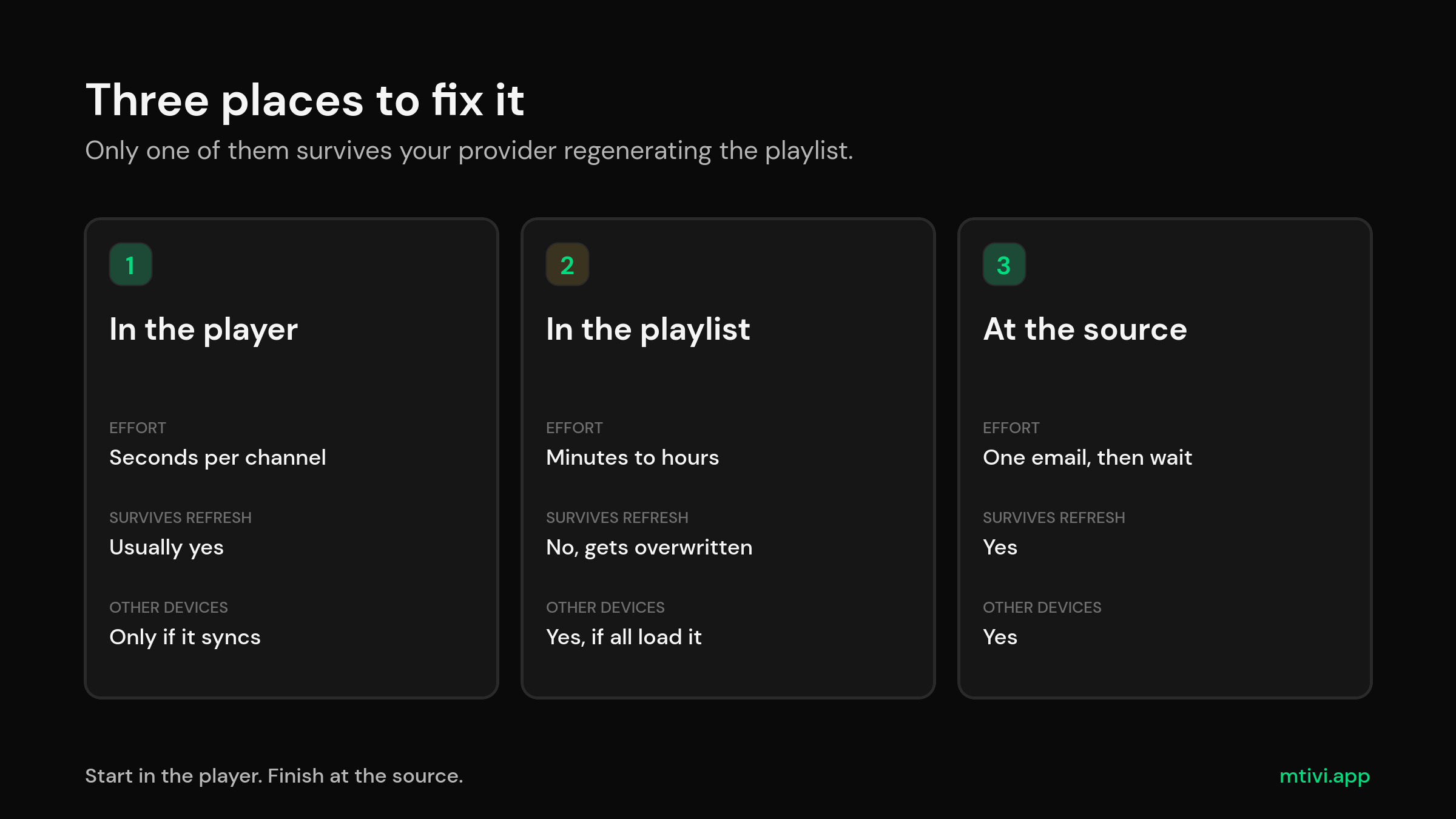
Three places to fix it, and only one of them sticks
Once you know the correct ID, you have a choice about where to apply it. They are not equivalent.
| Fix it | Effort | Survives a playlist refresh? | Applies to your other devices? |
|---|---|---|---|
| In the player, per channel | Seconds per channel | Usually yes | Only if the player syncs settings |
| In the playlist file | Minutes to hours | No — a provider refresh overwrites it | Yes, if every device loads your edited copy |
| At the source | An email, then waiting | Yes | Yes |
In the player. Most serious players let you assign guide data to a channel by hand. In TiviMate you highlight the channel, long-press OK to open the channel options, and pick the EPG assignment field, then search by partial name rather than the full one. OTT Navigator and IPTV Smarters have their own equivalents. This is the right first move because it is instant and reversible, and it costs you nothing if you guessed wrong.
In the playlist. Editing tvg-id values by hand genuinely works and it is genuinely miserable. If you subscribe to a hosted playlist URL, your provider regenerates that file and your edits vanish. It is only worth doing on a playlist you host yourself. If you do go this route, also set tvg-name correctly while you are there — Wikipedia notes that tvg-name is “usually the same name repeated after the comma, but can differ to match display-name in XMLTV”, which is the documented hook for players that fall back to name matching when the ID misses.
At the source. The permanent fix. Email whoever supplies your playlist, tell them the tvg-id values in the M3U do not match the id values in their own XMLTV, and name three channels as examples. Providers fix this more often than people expect, because it is a two-minute change on their end and you are almost certainly not the only one asking. The alternative is to point your player at a different guide source entirely, which is the next section.
Adding a second XMLTV source without breaking the first
Most players will load more than one guide URL against the same playlist. Done carefully, that is the cleanest way to fill gaps a provider will not fix. Done carelessly, it makes the guide worse.
- Order matters. Players resolve sources in priority order. Put the source with the better coverage first, or you will get the thin one winning on channels where both have data.
- Expect duplicates. If two sources both carry a channel under the same ID, some players show both sets of programs stacked. Fixing this usually means excluding that channel from one source rather than reordering everything.
- Check the file actually has programs. The XMLTV root element allows zero or more channels and zero or more programs, so a file that lists channels and no listings is valid and useless. If a new source adds nothing, that is the first thing to test. The XMLTV project’s own format notes are the reference if you want to inspect a file properly.
- Watch the size. A guide covering several countries is a large download and a large parse every refresh. Two of them on a modest streaming stick is a real cost — see handling large playlists if your device is already working hard.
- Mind the timestamps. The DTD says a time with no explicit zone is assumed to be UTC. A second source that omits offsets will land its programs in the wrong slots even when the IDs match perfectly, which looks like a different bug entirely — that one is covered in EPG wrong time.
- Use sources you are entitled to use. Guide data is somebody’s work. Stick to sources that publish openly or that come with your subscription.
If you are running several playlists at once, merging them first usually simplifies the guide problem rather than multiplying it — combining playlists into one list means one set of IDs to reason about instead of three.
Things that look like a mismatch and are not
Before you spend an evening on this, rule these out.
- The guide has not refreshed yet. Guides update on a schedule, and a freshly added source can take a full cycle before anything appears. Force a refresh and wait it out — the basics are in EPG setup.
- Logos are missing too. Logos come from
tvg-logo, a completely separate attribute. If the logos are gone as well, the playlist itself is probably thin rather than mismatched. - The channel is dead. A channel that no longer streams often loses its guide entry at the same time. Hiding dead channels is a better use of the evening.
- The names are a mess. Playlists full of
[HD],(4K)and|UHD|tags break name-based fallback matching even when the IDs are close. Cleaning up channel names often recovers more listings than editing IDs does. - You changed device recently. Per-channel guide assignments live in the player, not the playlist, so they do not travel — that is the same trap behind moving to a new device and favorites disappearing after an update.
If none of that applies and you still want the background on how the guide is meant to work, what EPG actually is and M3U versus Xtream Codes are the two pieces that make the rest of this obvious. If you log in with a server URL, username and password rather than a playlist link, what Xtream Codes is explains where your guide comes from in that setup.
What mtivi does about guide matching
mtivi cannot invent listings that are not in your guide file — nothing can. What it can do is take the manual work out of the parts above and make a fix you apply once actually stay applied.
- A real guide, on the free tier. Full EPG with now and next, a full-screen guide grid, channel logos, favorites and custom groups are all in the free player, so you are not paying to diagnose your own playlist.
- Automatic channel name cleanup. Stripping quality tags and junk out of channel names gives name-based matching a fair chance at the channels whose IDs are hopeless. This is the single highest-yield thing you can do to a messy playlist.
- Cloud sync. This is the part that matters most here. Guide assignments, favorites, settings and playlists follow your signed-in account, so the twenty minutes you spend fixing channels on the living-room box is not twenty minutes you spend again on the bedroom stick and the phone. Per-device fixes are why people give up on this problem — see how cloud sync works across devices.
- Combined playlists. Pro lets you merge several playlists into one guide, so a second source you added for coverage does not turn into a second list to manage — the approach in merging playlists.
- Hide dead channels and reorder groups. The channels with no listings are frequently the channels with no stream. Getting them out of the list makes the remaining gaps obvious.
- Large lists stay fast. Guide matching across very large playlists is where cheap players fall over, which is the whole subject of players built for large playlists.
mtivi runs today on Android phones and tablets, Android TV, Google TV, Fire TV and Firestick, Nvidia Shield and Android boxes, with iPhone, iPad, Mac, Apple TV, Windows and smart-TV apps on the way. It is free to start and needs no account to try. If you are picking hardware, the Android TV and Google TV comparison covers what the guide feels like on each.
A 20-minute checklist
- Confirm the pattern: some channels have listings, some do not. If none do, this is not your article.
- Check whether the blanks cluster into whole groups. If they do, suspect guide coverage, not IDs.
- Force a guide refresh and give it one full cycle before concluding anything.
- Pick three broken channels and read their
tvg-idvalues out of the playlist. - Search the guide file for each of those exact strings.
- Search the guide for the channels’ display names and read off the real
idvalues. - Assign the correct guide entry by hand in the player for those three. Confirm the listings appear.
- If they do, work through the rest the same way — or send the provider the three examples and let them fix it at the source.
- If they do not, the channel is genuinely not in your guide. Add a second XMLTV source or accept the gap.
- Once it works, make sure the fix syncs to your other devices rather than living on one box.
The reason this problem has such a long tail is that it is not really a bug in anything. Two loosely specified files are being joined on a string that no validator anywhere is checking, by a player that has no way to tell a typo from a channel that genuinely has no listings. Once you can see the join, you can fix it in an afternoon — and once it is synced, you fix it once.
Frequently asked questions
Why does my IPTV guide work for most channels but not all of them?
Because guide data is matched per channel, not per playlist. Each channel’s tvg-id is looked up individually in the guide file, so a channel whose ID is wrong fails on its own while every other channel around it succeeds. A blank guide on every single channel is a different problem — that is the source failing to load at all.
Is tvg-id matching case-sensitive?
Treat it as case-sensitive. Some players normalise case as a courtesy, but the format does not promise it and plenty of players do a straight string comparison. If your playlist says ChannelOne.example and the guide says channelone.example, assume that is your bug until you have proved otherwise.
What exactly is tvg-id supposed to contain?
Whatever string the guide file uses as that channel’s id. The XMLTV format definition says each channel id “must be unique and should preferably be in the form suggested by RFC2838” — a DNS-like name such as channelone.example. Note the word “preferably”. It is a recommendation, not a rule, which is why real-world IDs range from tidy domain-style names to bare numbers.
Can I fix this by editing my M3U file?
Yes, and it works. The catch is durability: if your playlist is a hosted URL that your provider regenerates, your edited IDs are replaced on the next refresh. Editing is worth it for a playlist file you host yourself, and mostly a waste of an evening for a subscription URL.
How do I find the correct channel ID in my XMLTV file?
Search the guide file for the channel’s on-screen name instead of its ID. Every channel block is required to carry at least one <display-name>, so if the channel is in the file you will find it that way, and the id attribute on that block is the string your playlist should be using.
My provider’s guide file is 200 MB. Do I have to open it?
Only if you want to diagnose it precisely. Use a text editor built for large files, and decompress the .xml.gz first if the URL serves a gzipped copy. If that is more than you want to take on, assigning guide data by hand in the player for your handful of broken channels gets you the same result without ever opening the file.
Why did my guide break after the playlist refreshed?
Your provider changed their IDs. It is the single most common cause of a guide that worked on Monday and did not on Tuesday, and nothing on your end changed at all. Manual per-channel assignments in the player usually survive it; edits you made to the playlist file do not.
Can I use a second EPG source alongside my provider’s?
Most capable players allow it. Put the better-covered source first in the priority order, watch for duplicated programs on channels both sources carry, and confirm the new file actually contains programs — an XMLTV file with channels and no listings is technically valid and completely useless.
Does mtivi provide the TV guide?
No. mtivi is a media player. We don’t provide, sell, or include any channels, movies, series, or playlists. You add your own source, and the guide comes from whatever XMLTV your source or your own chosen provider supplies. What mtivi does is match, display and sync it properly.
Will fixing the guide on my TV box fix it on my phone too?
Only if your player syncs settings across devices. Per-channel guide assignments are stored by the player, not in the playlist, so in most apps they stay on the device where you made them. In mtivi, cloud sync carries them to every signed-in device, which is the difference between fixing this once and fixing it three times.
Some whole categories have no guide at all. Is that the same problem?
Usually not. When an entire group is blank while everything else works, the likeliest explanation is that your guide file simply does not cover those channels. Editing IDs cannot create listings that were never in the file — you need a guide source that includes them.
My guide is there but every program is an hour or two out. Is that a matching problem?
No, that is a timezone problem, and it has its own fix. XMLTV timestamps can carry an offset, and the format specifies that a time with no explicit zone is assumed to be UTC — so a source that omits offsets shifts your whole guide. The full explanation is in our guide to an EPG that is off by hours.
Do channel logos come from the same ID?
No. Logos are carried by a separate tvg-logo attribute in the playlist, and XMLTV channel blocks can also carry their own icon. A channel can have a perfect logo and no listings, or full listings and no logo, and neither tells you anything about the other.
Related guides
- IPTV EPG Setup: How to Get a Full TV Guide With Now/Next, Catch-Up and Logos
- IPTV EPG Wrong Time? How to Fix a Guide That’s Off by Hours
- What Is EPG in IPTV? The TV Guide, Explained
- M3U vs Xtream Codes: Which IPTV Format Should You Use?
- Clean Up IPTV Channel Names: Strip [HD], (4K) and |UHD| Tags
- How to Merge Multiple IPTV Playlists Into One Clean List
- IPTV Player Cloud Sync: Watch the Same Playlist on Every Device
- IPTV Catch-Up Not Working? How to Fix Grayed-Out Catch-Up